63-Inch Executive Desk: Thick Wood Top, Metal Frame
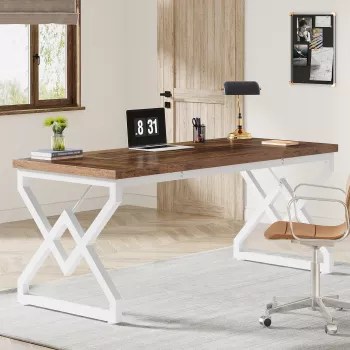
Large 63-Inch Executive Office Desk with Thickened Wooden Top & Metal Frame
A spacious executive desk can anchor a home office or studio, balancing daily durability with a clean, modern look. This 63-inch design pairs a thickened wooden top with a sturdy metal frame to support focused work, multiple monitors, and the essentials that tend to accumulate during busy weeks. The result is a workstation that feels intentional—large enough to spread out, stable enough to lean in, and streamlined enough to keep the room looking pulled together.
At a Glance: What This Desk Brings to a Workspace
- 63-inch surface area suited for dual-monitor setups, laptops, notebooks, and desk accessories without feeling cramped
- Thickened wooden top designed for everyday wear, writing, and consistent device placement
- Metal frame adds rigidity and helps reduce wobble during typing or leaning on the edge
- Executive-style proportions that work well in dedicated offices, open-plan corners, or multipurpose rooms
- Works with common office add-ons such as monitor arms, desk lamps, cable clips, and under-desk organizers (verify clamp clearance before installing accessories)
Quick Specs Checklist
| Feature | What to Look For | Why It Matters |
|---|---|---|
| Desktop size | 63-inch length | More usable area for monitors, paperwork, and peripherals |
| Top construction | Thickened wooden top | Improves feel, longevity, and resistance to flex |
| Base construction | Metal frame | Stability and support under daily loads |
| Use case | Executive/home office | Designed for longer sessions and a more permanent setup |
Space Planning: Fit, Flow, and Chair Clearance
A 63-inch executive desk has presence, so a few quick measurements can prevent the “fits, but feels tight” problem. Start with the wall length (or the corner span if you’re tucking it into an L-shaped area) and leave breathing room on both sides. That side margin matters more than it seems—curtains need to hang freely, doors need to swing, and the space looks cleaner when the desk isn’t jammed edge-to-edge.
- Measure the intended wall length and leave comfortable side margins so drawers, doors, or curtains can move freely
- Plan for chair movement: allow enough depth for pulling the chair back and standing up without bumping furniture behind
- Consider monitor distance: a longer desk makes it easier to keep displays at a comfortable viewing distance
- If placing the desk in a shared room, position it to maintain walking paths and reduce visual clutter from cables
If ergonomics is a priority, align the desk and monitor placement with established workstation guidance, such as the OSHA Computer Workstations eTool and the NIOSH Ergonomic Guidelines for Computer Workstations.
Thickened Wooden Top: Everyday Durability and Feel
The desktop is the part you interact with most, so “thickened” isn’t just a spec—it’s a feel. A thicker top typically gives a more solid impression during long typing sessions, steady handwriting, and constant repositioning of keyboards, docks, or notebooks. It also helps reduce flex, which can be noticeable on thinner surfaces when you rest your forearms near the front edge.
- A thicker desktop typically feels more solid for typing, handwriting, and frequent repositioning of equipment
- Helps reduce sagging concerns when placing heavier items like monitor stands, small printers, or stacked books
- Supports a more premium look: the top surface becomes a focal point, especially in minimal office layouts
- Care basics: use coasters for hot beverages, wipe spills promptly, and consider a desk mat for heavy writing or crafting routines
For day-to-day protection, simple habits go a long way: a coaster near your dominant hand, a soft mat under heavy “dragging” items (like chargers and metal pen cups), and a quick wipe-down before debris has a chance to scratch.
Metal Frame Stability: Why the Base Matters
Stability comes from the base. A metal frame generally boosts rigidity, helping the desk resist side-to-side wobble during fast typing, frequent standing, or the occasional lean when you’re reviewing notes. It also supports consistent alignment—useful when you mount accessories like a clamp-on lamp or a monitor arm.
- Metal framing generally improves rigidity and helps keep the desk steady on different floor types
- Look for even contact with the floor; if the room has uneven flooring, consider a thin furniture pad set for micro-leveling
- For high-activity use (frequent standing, leaning, or quick typing), the frame is a primary contributor to a secure feel
- Cable management is easier when the underside is accessible—add adhesive clips or a cable tray to keep power bricks off the floor
Setup Ideas for a Clean Executive Layout
Assembly and Maintenance Pointers
Who This Desk Fits Best
Shop the Setup (In Stock)
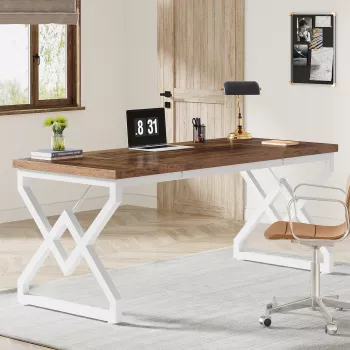
- Large 63-inch Executive Office Desk with Thickened Wooden Top & Metal Frame
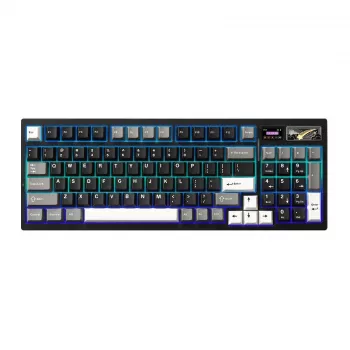
- Wireless Mechanical Gaming Keyboard with Customizable LCD & RGB Lighting
- Cute Cartoon Duck Plush Toy – Soft Lifelike Goose Doll for Kids & Collectors (a lighthearted desk companion for shelves or background decor)
FAQ
Is a 63-inch desk large enough for two monitors and a laptop?
For many setups, yes. Two typical monitors plus a laptop can fit comfortably on a 63-inch surface with room left for a keyboard and mouse, and using a monitor arm or riser can free up even more usable space for a notebook or documents.
Does a thickened wooden top help with wobble or stability?
A thicker top mainly reduces flex and can feel sturdier under your hands, but wobble is usually more about the frame, hardware tightness, and floor contact. If movement shows up, confirm the desk is level and re-tighten fasteners after initial use.
What’s the best way to protect the desktop finish?
Use coasters for drinks, wipe spills promptly, and clean with a microfiber cloth. A desk mat helps with heavy writing or repetitive motion tasks, and felt pads under frequently moved accessories can reduce surface wear.









Leave a comment